How do I access TopCMA as a TREB member?
On the Stratus Dashboard:
1) Sign in to your MLS account
2) Use the TopCMA option under the Stratus+ dropdown to create a report using the built in "Search for Comparables" tool
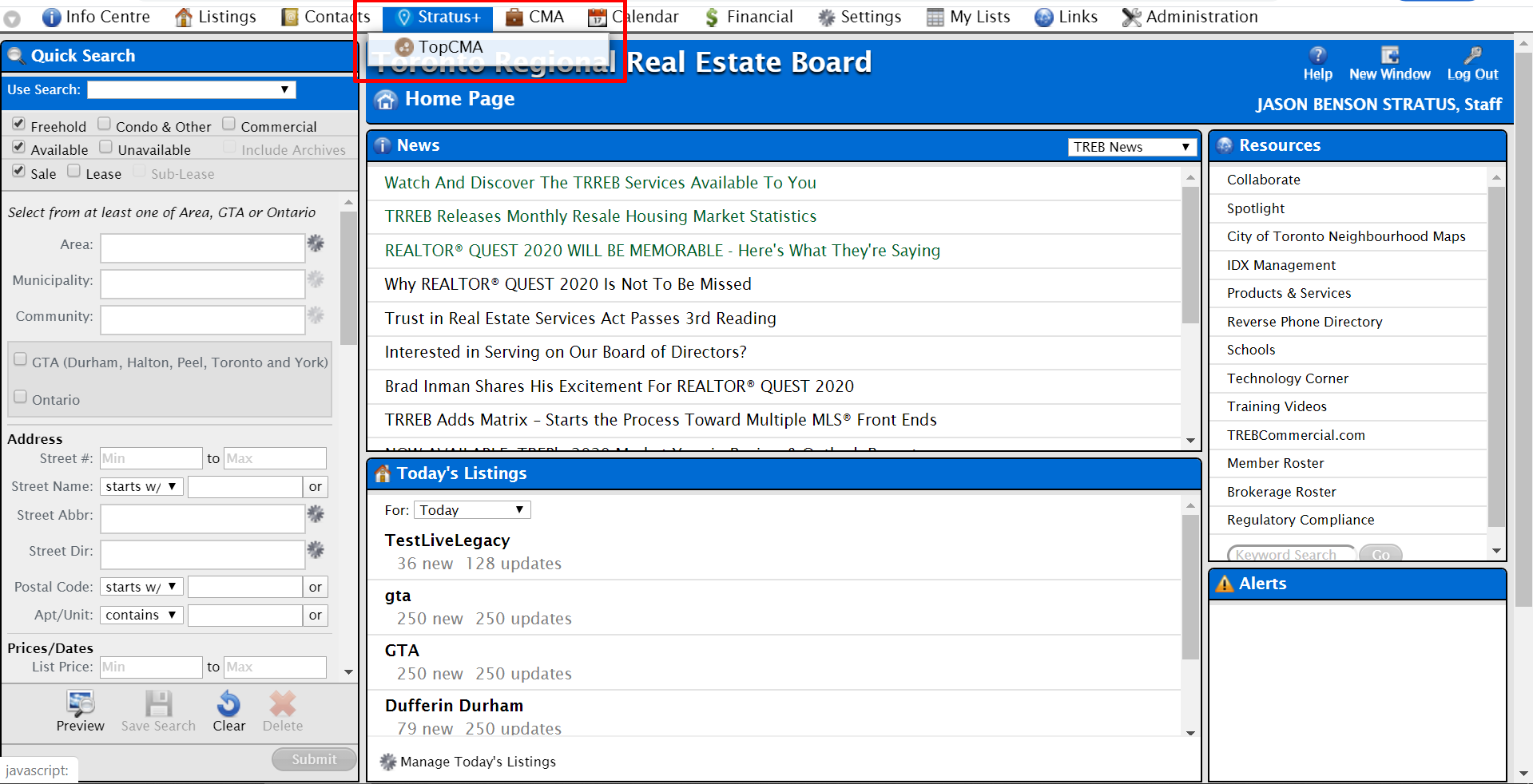
OR
2) Create a search on Stratus and select listings to take them into TopCMA
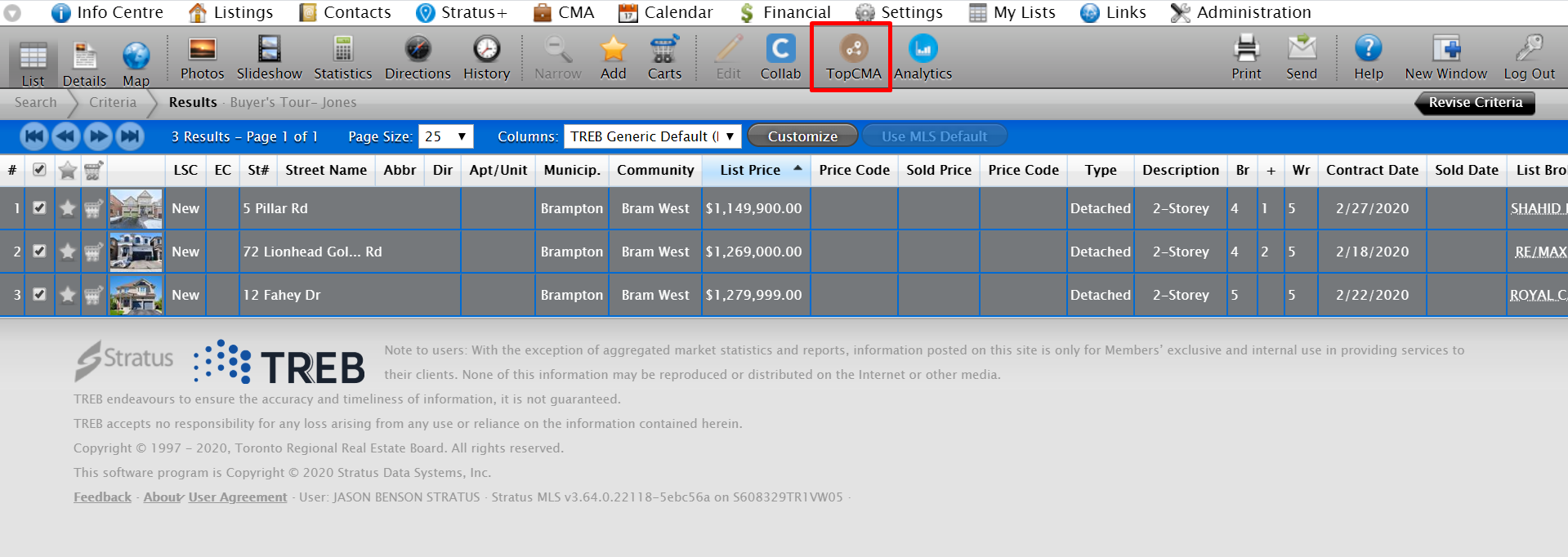
3) Follow the steps guided by the wizard to customize and create the TopCMA report
On Collaborate:
1 ) Sign in to your MLS® system via Collaborate - https://collab.torontomls.net
2) Navigate to the search function of Collaborate (refer to image below).
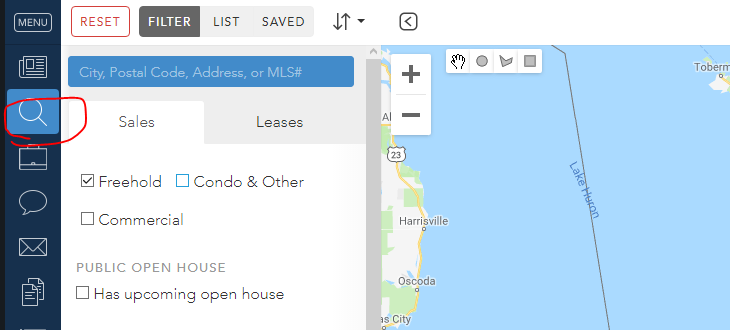
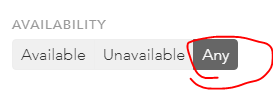
3) Now we need to customize our search to make sure that we are looking at only properties that compare to our subject property. We will first want to select ANY type of listing availability because we will want to include active and sold properties as comparable properties (refer to image below).
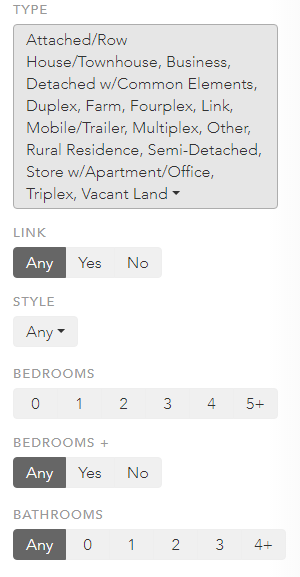
4) Customize your MLS® search to filter our properties that are not comparable to our subject property and only properties that are comparable to our subject property (refer to image below).
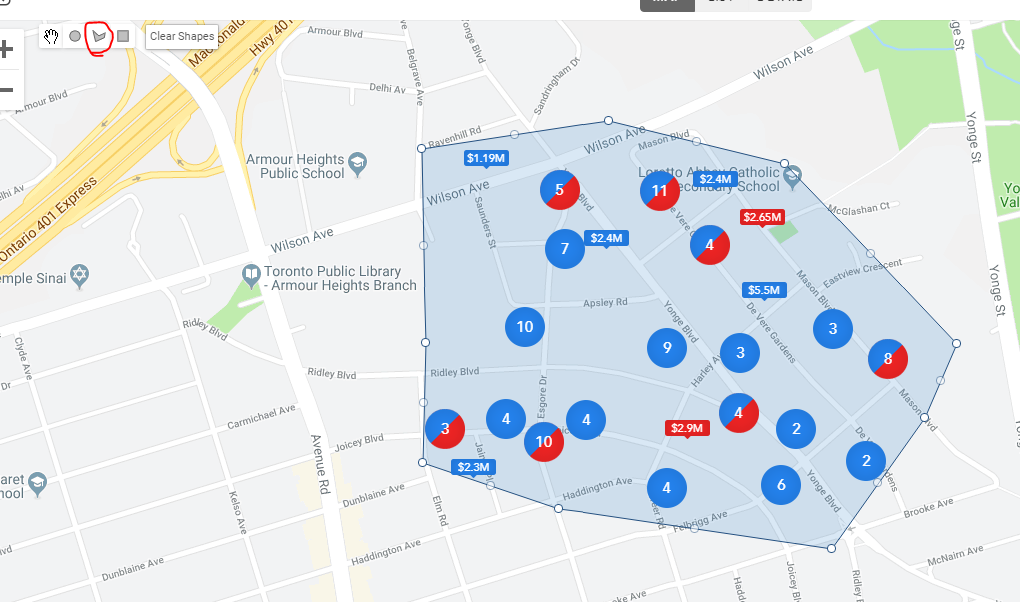
5) We can use the polygon tool to select only the properties that we want to include in our CMA report (refer to image below).
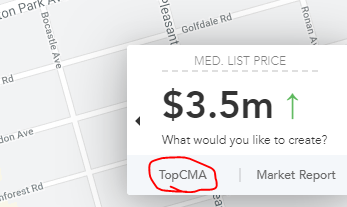
5) You will see a tool tip map overlay. Click "TopCMA" (refer to image below).
6) Follow the steps guided by the wizard and start preparing CMA reports today.
Please contact us at support@stratusplusmls.com if you need assistance.