How do I access Trenlii Reports as a TREB member?
On the Stratus Dashboard:
1) Sign in to your MLS system
2) Navigate to the "Search" page
3) Customize your MLS search to reflect the statistics that will be provided in your Trenlii Report and submit the search
4) Click the analytics tab in the toolbar

5) Click on Trenlii Reports in the top, left corner of the screen

6) Follow the steps guided by the Trenlii Reports wizard
On Collaborate:
1) Sign in to your MLS system via Collaborate - https://collab.torontomls.net
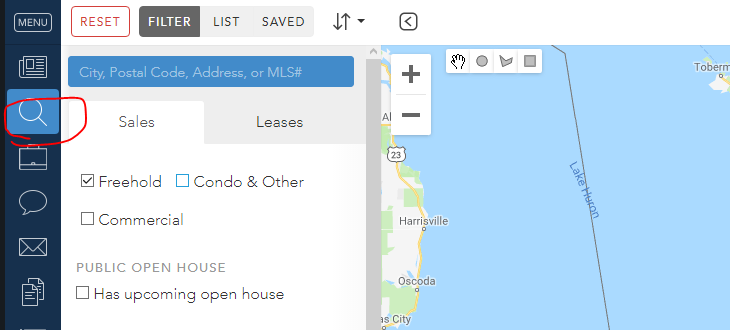
2) Navigate to the search function of collaborate (refer to image below).
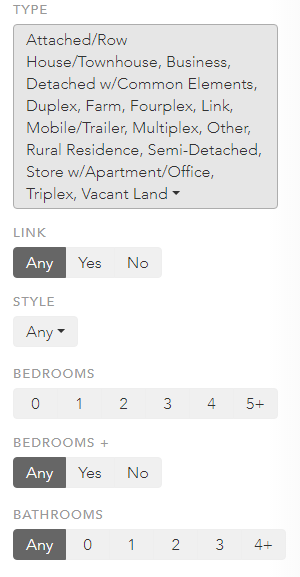
3) Customize your MLS search to reflect the statistics that will be provided in your Trenlii Report (refer to image below).
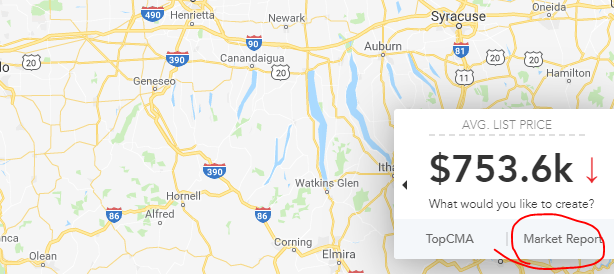
4) You will see a tool tip map overlay. Click "Trenlii Reports" (refer to image below).
5) Follow the steps guided by the wizard and start preparing market reports today.
Please contact us at support@stratusplusmls.com with questions